Kerf brand and messaging guide
How Kerf describes itself and how it looks. Use it when you write the README, release notes, a talk abstract, a post or a UI string. Last updated: 2026-11-05.
The name
A kerf is the width of a saw cut: the material a cut removes. Kerf removes the CPU and memory your containers reserve but never use, and no more than that.
- Write Kerf: capital K, then lower case, in prose and in titles. Never
KERF, neverKerF. - Lower case
kerfonly where the system needs it: the namespace, the chart, image names, thekerf.getkerf.devAPI group, thekerf_metric prefix, CLI commands. - Kerf is a name, so no article: "Kerf recommends", not "the Kerf recommends". "A Kerf hub" is fine.
Positioning
| Category | Kubernetes rightsizing (pod CPU and memory requests and limits). People also search for "Kubernetes cost optimization", "VPA alternative", "Kubernetes resource recommendations". |
| One-line promise | Kubernetes rightsizing you run yourself: requests and limits from real usage, priced in dollars, applied with guardrails and automatic rollback. |
| Tagline (logo, social card) | Trim what your containers don't use. |
| Who it's for | Platform and SRE teams that run several Kubernetes clusters (EKS first) and own their cost; FinOps practitioners who need per-workload numbers they can act on. |
| What they're trying to do | Cut requested CPU and memory to what workloads use, without paging anyone at 3 a.m., and show the saving in money. |
| Business model | Open source, Apache-2.0. No paid tier, no SaaS. |
Elevator pitch (about 60 words)
Many Kubernetes clusters reserve far more CPU and memory than their pods use, and every reserved core is a node you pay for. Kerf reads each container's usage from your Prometheus or VictoriaMetrics, recommends requests and limits, and prices the difference per node type. When you allow it, Kerf applies the change with an in-place resize or a rollout and rolls it back if the workload gets unhealthy.
Differentiators
Each one is a fact in this repository. Say them in this order.
- It runs in your clusters. Hub, agent, webhook and UI install with one Helm chart. Usage data stays in your Prometheus and your Postgres; there is no SaaS control plane and no account to create. Agents pull from the hub, so the hub never holds write credentials to a workload cluster.
- It changes things, carefully. Per workload and per resource (CPU and memory separately):
off,auditorauto-patch. Changes go in as an in-place pod resize, a rollout, or a deferred patch inside a maintenance window. Guardrails cap each decrease (50% per step by default), require enough history and confidence, and enforce a cooldown. Freeze windows block changes. A change followed by OOM kills, restarts or CPU throttling is rolled back automatically. - It speaks money. Savings per workload, namespace and cluster, priced per node type from the AWS price list (on-demand and spot) or your own price table.
- It knows the workload. HPA-coupled workloads get requests and the HPA target in one change. JVM
containers get heap-aware memory. Single-replica workloads and
OnDeleteStatefulSets change without downtime. - It fits GitOps. In-place resizes don't touch the pod template, so Argo CD sees no drift. Policies live in
the UI or as
RightsizingPolicyresources in Git, next to everything else.
Proof points we can use
- Five components, one chart:
global.mode: hub | spoke | all. - Metrics sources: Prometheus, VictoriaMetrics, Thanos, Mimir, Amazon Managed Service for Prometheus.
- Readiness checks per cluster: Registered → Agent connected → Metrics OK → Ready for audit → Automation ready.
- Releases: multi-arch images (amd64, arm64) with SBOM and provenance, signed with cosign.
- An end-to-end suite runs the agent, webhook, rollback and Argo CD paths against real k3d clusters.
Don't claim what we can't show yet: no "saves 40%" figures, customer logos or testimonials until we have a published case with numbers. When we do, cite it with the source and the date.
Objections and honest answers
| Objection | Answer |
|---|---|
| "VPA already does this." | VPA recommends and can apply requests in one cluster. Kerf adds dollars, a fleet UI, per-resource modes, maintenance windows, rollback on bad health and HPA coordination. VPA is a fine choice for one cluster you watch closely. |
| "Automatic changes in production scare me." | Start in audit: nothing changes. Turn on auto-patch per namespace or workload, for CPU first if you like. Every change is in the activity log and can be rolled back from the UI. |
| "Another thing to run." | One chart. The hub needs Postgres and a Prometheus-compatible endpoint you probably have already. |
| "We're not on AWS." | The recommender and automation work on any conformant cluster. Prices come from a static table instead of the AWS price list. EKS is the tested platform. |
Not a fit (yet)
- One small cluster where a VPA in recommendation mode is enough.
- Node-level autoscaling or bin packing: use Karpenter or Cluster Autoscaler next to Kerf.
- Teams that want a managed SaaS with vendor support.
Voice
The existing docs already sound right: short sentences, exact names, no hype. Keep it.
| Attribute | Means | Doesn't mean | Example |
|---|---|---|---|
| Precise | Name the thing: the mode, the field, the number | Jargon for its own sake | "Auto-patch uses in-place resize where Kubernetes supports it, or a rollout." |
| Plain | Short sentences, ordinary verbs, the reader as subject | Dumbed down | "Start in audit: nothing changes." |
| Candid | Say what it doesn't do, and who should use something else | Self-deprecating | "EKS is the tested platform." |
| Calm | Safety first: guardrails, rollback, audit log | Timid or vague | "A change that makes a workload unhealthy is rolled back." |
Tone by context - Docs and README: second person, imperative for steps, one idea per paragraph. - Release notes: what changed for the user, then how to upgrade. Link the PR. - Errors and UI: what happened, why, what to do next. No blame, no exclamation marks. - Social and launch posts: first person plural, one concrete number or screenshot, a link. No emoji walls.
Words we use: rightsizing, requests and limits, recommendation, savings, workload, fleet, hub, workload cluster (spoke in config only), guardrail, maintenance window, rollback, in-place resize.
Words we avoid
| Avoid | Why | Say instead |
|---|---|---|
| AI-powered, intelligent, smart, magic | The recommender is statistics on usage history; overclaiming loses engineers | the actual method: "CPU request = 95th percentile of 14 days of usage plus 15% headroom" (the production profile) |
| seamless, robust, powerful, effortless | Says nothing | the fact behind it |
| save up to X% | No public data yet | the savings the UI shows for your fleet |
| set and forget, zero risk | Not true of any automation | "guardrails, maintenance windows, automatic rollback" |
| optimizer, platform, solution | Old name / vague | Kerf, rightsizing |
| KERF | It isn't an acronym | Kerf |
Visual identity
The mark
A tile with one corner trimmed off along a diagonal saw cut. The trimmed piece sits apart by the width of the cut: the kerf. Two tones of the product teal.
| File | Use |
|---|---|
| kerf-logo-on-light.svg | mark and wordmark, on white or light backgrounds |
| kerf-logo-on-dark.svg | mark and wordmark, on dark backgrounds |
| kerf-mark-on-light.svg | the mark alone (favicon, avatar, small spaces) |
| kerf-mark-on-dark.svg | the mark alone on dark backgrounds |
| kerf-avatar.png | 512 × 512 PNG for the GitHub organization and Artifact Hub |
| social-preview.png | 1280 × 640 GitHub social preview |





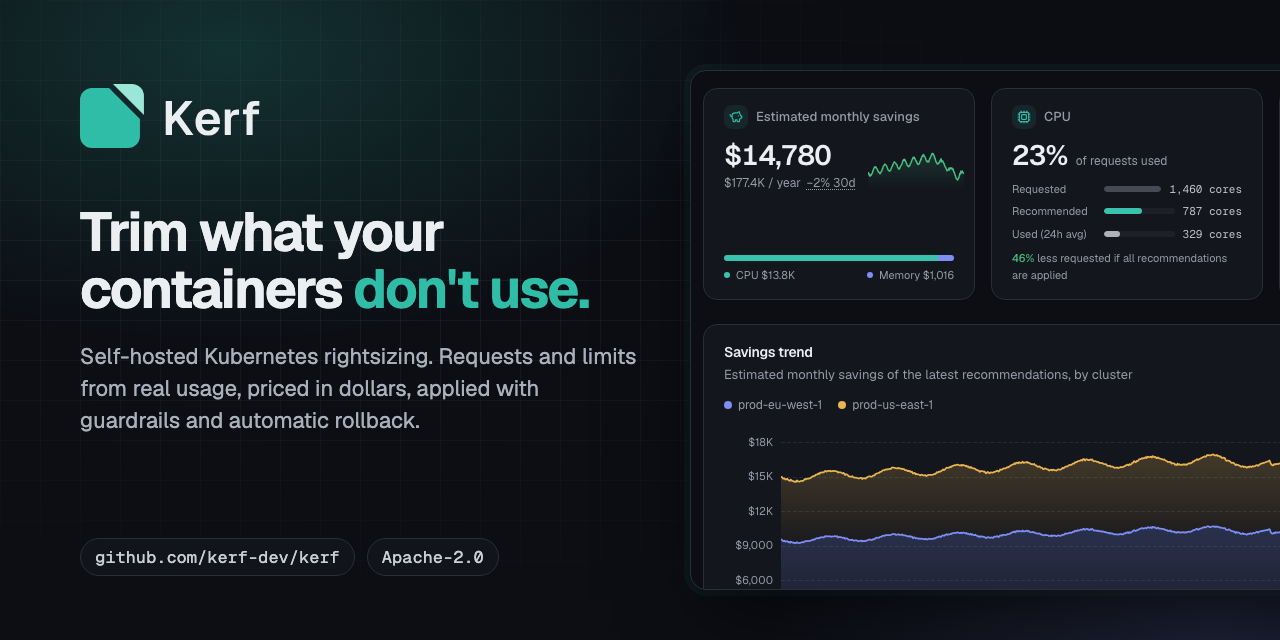
Rules:
- Clear space around the logo: at least half the height of the mark.
- Minimum size: the mark at 16 px, the full logo at 20 px high.
- Don't rotate, outline, add effects, recolor outside the palette, or set the wordmark in another font.
- The same geometry is used by web/public/favicon.svg and web/src/components/layout/logo.tsx; change
them together.
The wordmark is Geist SemiBold (SIL Open Font License, see NOTICE) converted to outlines, so it renders
without the font installed.
Colour
The palette is the web UI theme (web/src/index.css, OKLCH), converted to sRGB hex.
| Role | Light theme | Dark theme | Use |
|---|---|---|---|
| Kerf Teal (primary) | #008979 |
#2fbda7 |
mark body, buttons, links |
| Trim (mark accent) | #5cc8b6 |
#9ae6d8 |
the trimmed piece of the mark only |
| Ink (foreground) | #141822 |
#eceff2 |
text, wordmark |
| Paper (background) | #f9fafb |
#0c0e14 |
page background |
| Muted text | #626975 |
#949ca8 |
secondary text |
| Chart: savings, CPU | #009685 |
#39c3ae |
charts |
| Chart: memory | #4767d3 |
#7e8ef4 |
charts |
| Chart: amber | #e1a035 |
#e9b452 |
charts, highlights |
Status colours (success, warning, destructive, info) carry meaning in the UI. Don't use them for decoration.
Type
- Geist for text and headings (the UI font), Geist Mono for code, quantities and resource values.
- Headings: semibold, slightly tight tracking. Body: regular.
- Fallbacks:
ui-sans-serif, system-uiandui-monospace, Menlo.
Screenshots
- Taken from the UI's mock API with
make web-screenshotsintodocs/screenshots/(light, dark, tablet). The mock data is synthetic; it must never show a real cluster, account or service name. - In the README, show light and dark with
<picture>andprefers-color-scheme. - The README hero images (
docs/branding/hero-*.png) and the social preview are rendered from those screenshots bynode docs/branding/render.mjs(needsmake web-install).
Website
getkerf.dev is a single static page in site/ (plain HTML and CSS, no JavaScript),
published to GitHub Pages by .github/workflows/pages.yaml on every push to main that touches site/.
How to preview, check and regenerate it: site/README.md.
The project contact is admin@getkerf.dev (website footer and JSON-LD, SECURITY.md as the alternative to
GitHub private reporting, CODE_OF_CONDUCT.md, site/llms.txt). Use only this address in public copy.
- Copy comes from this guide and the README: the tagline is the
h1, the one-line promise is the lede, the differentiators are the "What Kerf does" cards in the order above, the objections are in the FAQ, and the comparison table repeats the README's (keep them in step with comparison.md). - Colour follows the palette above through
prefers-color-scheme. One addition: links and the primary button use#00776ain the light theme, Kerf Teal darkened so that link text on Paper and white button text both pass WCAG AA (Kerf Teal#008979measures about 4.1:1 on Paper). The mark keeps#008979. The dark theme uses Kerf Teal#2fbda7as is. - Type: Geist and Geist Mono, self-hosted from
site/fonts/(latin subset, variable weight, OFL). - Images: the screenshots are the top 1440 × 900 of
docs/screenshots/<name>-{light,dark}.pngas WebP, shown with<picture>so they follow the reader's theme. The Open Graph and Twitter image is social-preview.png. Aftermake web-screenshotsor a logo change, rerunnode site/tools/render-assets.mjs. - Search: title, description, canonical
https://getkerf.dev/, JSON-LDSoftwareApplication,robots.txt,sitemap.xmlandllms.txt(a plain-text summary for AI assistants). When a claim changes in this guide, change it on the page and insite/llms.txttoo.